
Digital Repression: From Martial Law to "Lawfare"
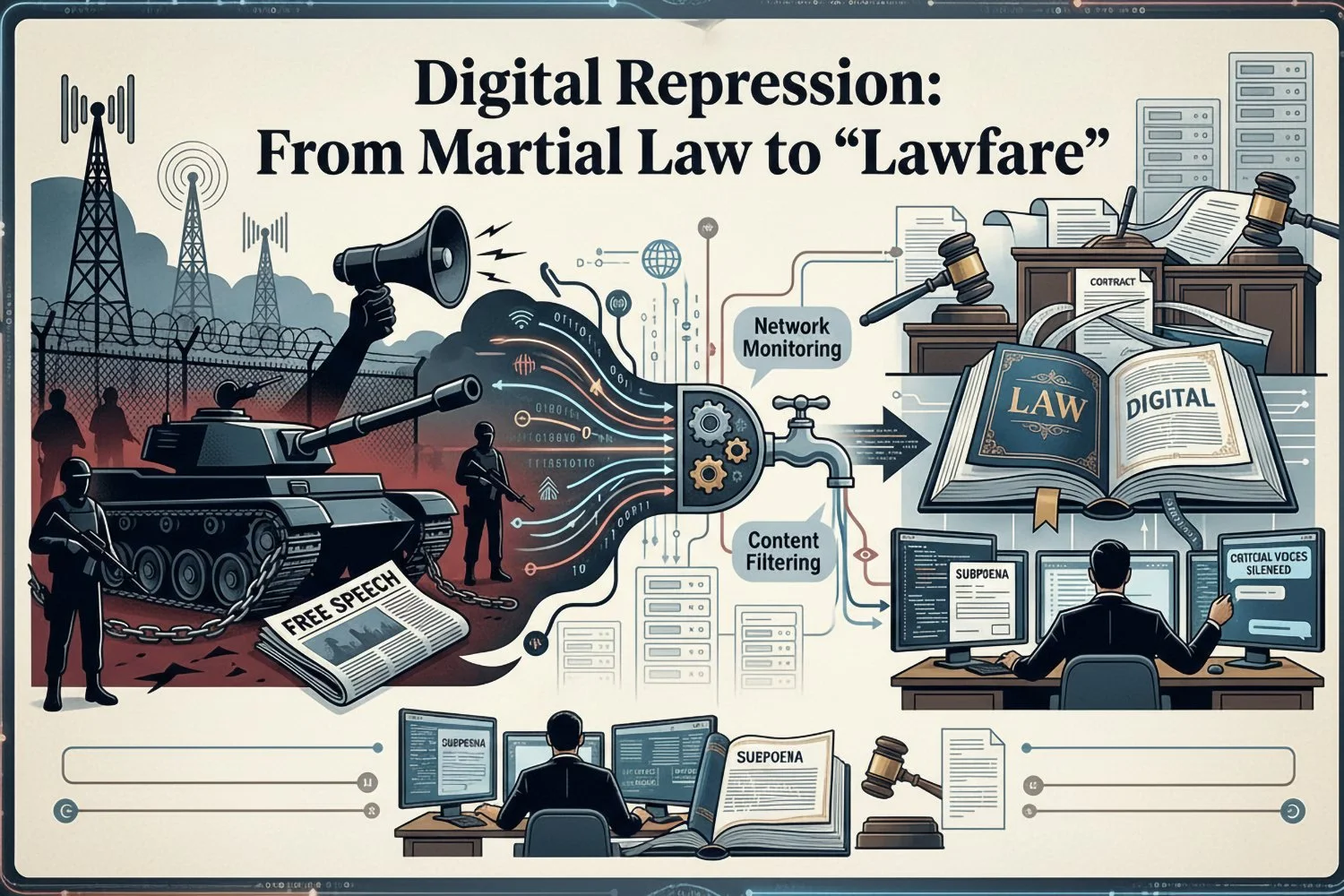
Visual generated by AI for illustrative purposes.
Focuses on the transition from emergency decrees to the systematic use of the 2025 Cybersecurity Law to imprison citizens for social media activity.
The Focus: Analyzing the "Thai Model" of repression in Myanmar, where biometric SIM registration and AI surveillance are used to justify decades-long prison sentences for "digital dissent."
The transition of power in Myanmar has entered a chilling new chapter. What began as the blunt force of military boots and nationwide internet blackouts in 2021 has evolved into a sophisticated, automated "Digital Dictatorship." As of 2026, the military regime has pivoted from temporary emergency decrees to a permanent state of "Lawfare"—using the systematic enforcement of the 2025 Cybersecurity Law and advanced hardware tracking to criminalize the very fabric of digital life.
The Architecture of the 2025 Cybersecurity Law
Enacted on January 1, 2025, this legislation serves as the legal spine of the regime’s surveillance apparatus. Unlike the chaotic early days of the coup, the new law provides a "veneer of legality" for state-sponsored persecution.
Mandatory Data Retention: Platforms must store user data for three years, granting the state "unrestricted access."
The VPN Ban: Unauthorized Virtual Private Networks (VPNs) are now a criminal offense, punishable by prison time.
Vague "Cyber Offences": Provisions against "destabilizing information" allow the state to interpret any social media criticism as a criminal act.
The New Frontier: CEIR and IMEI Exploitation
The most significant escalation in 2026 is the mandatory implementation of the Central Equipment Identity Register (CEIR). While SIM registration tracks the user, CEIR tracks the physical device.
The "Remote Kill-Switch": By linking every phone’s unique IMEI (International Mobile Equipment Identity) to a government database, the regime can now remotely deactivate or "blacklist" any device. If a citizen is flagged for dissent, the regime can cut off their ability to communicate entirely, rendering the physical phone a useless brick.
Hardware-Level Surveillance: CEIR allows the state to see if a registered SIM is swapped into a different phone. This closes the loophole of "burner phones," ensuring that the hardware, the SIM card, and the user's biometric identity are permanently tethered.
Technological Hostage-Taking: Citizens are now afraid that the military can remotely access their devices to delete evidence of human rights abuses or plant incriminating files through integrated "security" backdoors.
The "Thai Model": Biometrics and AI Surveillance
Analysts note the regime’s adoption of the "Thai Model"—a strategy that emphasizes administrative enclosure over overt violence. This model now relies on four pillars:
Biometric SIM Registration: Linking SIMs to national e-IDs with fingerprints and iris scans.
The PSMS (Person Scrutinization and Monitoring System): Using AI-powered facial recognition to flag "wanted" individuals in real-time via CCTV.
CEIR Device Integration: Ensuring the physical handset is tracked and controllable by the state.
Automated Enforcement: Using "pattern-of-life" algorithms to flag suspicious movements or digital behaviors.
From Dissent to Decades: The Human Cost
The shift to "Lawfare" means that instead of being held in arbitrary military detention, dissidents are funneled through a compliant judicial system.
"The strategy projects a sort of normalcy while criminalizing dissent. It replaces arbitrary detention with politicized criminal convictions that carry the weight of legal finality." — Human Rights Myanmar Report, 2026.
In late 2025, ordinary citizens began receiving decades-long prison sentences for social media activity. By January 2026, the "Law on the Protection of Multiparty Democratic Elections" was being used to arrest dozens more for online "interference," effectively silencing any opposition to the regime's planned political transitions.
Conclusion: The Global Precedent
Myanmar is no longer just a local crisis; it is a laboratory for Automated Authoritarianism. By weaponizing digital infrastructure—from the network layer down to the physical IMEI of a handset—the regime has created a "documentation trap." The act of recording an atrocity now leads directly to the capture of the recorder. If this model succeeds, it provides a terrifying blueprint for regimes worldwide seeking to replace the chaos of martial law with the cold, calculated efficiency of a digital cage.
Digital Safety Guide
This Digital Safety Guide is designed to help activists and high-risk individuals navigate the dangers of the CEIR (Central Equipment Identity Register) and IMEI-based tracking in Myanmar. In an era of "Lawfare," your digital hygiene is your primary defense.
1. Understanding the "Device-to-Identity" Link
The military’s goal is to create a 1:1 link between a physical person and a specific handset.
The Chain of Custody: Your Biometric e-ID $\rightarrow$ Linked to your SIM Card $\rightarrow$ Linked to your phone's IMEI (via CEIR).
The Risk: If you use your personal phone to document a protest, the CEIR system identifies the exact hardware at that location, even if you swap the SIM card.
2. Mitigating IMEI and CEIR Risks
Because the CEIR system operates at the hardware level, software solutions like standard VPNs cannot hide your IMEI from the network provider.
Air-Gapped Devices for Documentation: Use a secondary, "clean" phone for filming or photography. This device should never have a SIM card inserted and should never have been registered in the CEIR system. Transfer files via physical SD cards or "dead drops" rather than Wi-Fi.
Avoid "IMEI Dressing": While some tools claim to "change" or "mask" an IMEI, this is often illegal and technically difficult on modern smartphones (especially iPhones). Moreover, a "spoofed" IMEI that doesn't match the CEIR database will trigger an automatic network block.
Travel with "Clean" Hardware: If moving through checkpoints, carry a "decoy" phone that is fully registered and contains no political material. Keep your operational device powered off and, if possible, in a Faraday bag to prevent "silent" pings to cell towers.
3. Hardening Your Software Against "Remote Kill-Switches"
The regime may use CEIR to trigger manufacturer-level locks or exploit "Find My Device" features if they gain access to your accounts.
Disable "Find My" Features on Primary Devices: While risky if the phone is stolen, leaving these active allows anyone with access to your Google/Apple ID to remotely wipe or lock your phone.
Use Obfuscated VPNs: Standard VPN signatures can be detected by the 2025 Cybersecurity Law’s monitoring tools. Use protocols like V2Ray, Shadowsocks, or VPNs with "Stealth" modes to hide the fact that you are even using a VPN.
Lockdown Mode: For iPhone users, enable Lockdown Mode in settings. This restricts complex web technologies and wire connections that the military's forensic tools (like Cellebrite) use to extract data.
4. Communication Protocols
Zero-Knowledge Services: Use Signal or Session. Ensure "Sealed Sender" is active on Signal.
Disappearing Messages: Set a 24-hour (or shorter) timer for all conversations. In a "Lawfare" environment, your message history is a roadmap for the prosecution.
Biometric Bypass: Disable Fingerprint/Face ID for unlocking your phone. Under duress, authorities can force you to look at a screen; they cannot legally or easily force a complex alphanumeric passcode out of your mind.
| Threat | Mitigation Strategy |
|---|---|
| IMEI Tracking (CEIR) | Use "Clean" secondary hardware; no SIM cards in sensitive devices. |
| Remote Deactivation | Keep critical data backed up offline; use 2FA on all cloud accounts. |
| Network Surveillance | Obfuscated VPNs (V2Ray/Shadowsocks) + Tor Browser. |
| Physical Seizure | Disable biometrics; enable "Lockdown Mode"; use alphanumeric passcodes. |
To navigate the network constraints in Myanmar under the 2025 Cybersecurity Law, standard "commercial" VPNs are often insufficient because their traffic patterns are easily identified and throttled by the regime's Deep Packet Inspection (DPI) tools.
The following tools are specifically designed to bypass such censorship by making your encrypted traffic look like "normal" web browsing (HTTPS).
1. Obfuscation Protocols & Tools
These are not standard "one-click" VPNs but specialized protocols that wrap your data in a layer of "noise" or fake data to confuse surveillance algorithms.
V2Ray / Project V: A platform for building proxies that use sophisticated obfuscation. It is highly effective against the "Thai Model" of repression because it can mimic standard web traffic (WebSocket + TLS).
Shadowsocks (SS / SSR): An encrypted proxy specifically designed to bypass firewalls. It is lightweight and harder to detect than OpenVPN or WireGuard.
Outline VPN: Developed by Jigsaw (Google), this uses the Shadowsocks protocol but is much easier to set up. It allows you to run your own private server, making it harder for the regime to "blacklist" the IP address.
2. High-Resilience VPN Providers
If you prefer a ready-made service, ensure they offer "Obfuscated Servers" or "Stealth Mode."
| Provider | Stealth Feature | Why it Works |
|---|---|---|
| Mullvad VPN | Bridge Mode (Shadowsocks) | High anonymity; does not require an email or personal info to sign up. |
| Proton VPN | Stealth Protocol | Specifically designed to bypass firewall "fingerprinting" without sacrificing speed. |
| Tor Browser | Snowflake / Bridges | Uses volunteer-run "bridges" to hide the fact that you are using the Tor network. |
3. Open-Source Anti-Censorship Tools
Psiphon: A veteran tool in the region. It uses a combination of VPN, SSH, and HTTP Proxy technologies to find a path to the internet when one is blocked.
Lantern: Uses a peer-to-peer (P2P) network to share bandwidth and bypass censorship. It is effective for light browsing and social media access.
4. Critical Configuration Steps
To ensure these tools work with the CEIR/IMEI registration environment:
Kill-Switch Always On: Ensure the "Kill-Switch" is active. If your VPN drops for even a second, the CEIR-monitored network will instantly see your real IP and the apps you are accessing.
DNS Leak Protection: Ensure your DNS queries are encrypted (DoH or DoT). If the regime sees you are looking up "Signal.org," they don't need to see the content to know you are using it.
App-Level Split Tunneling: Only route sensitive apps (Signal, Browser, Telegram) through the obfuscated tunnel to keep your connection speed stable for "normal" registered apps.
Final Safety Warning
Under the 2025 Cybersecurity Law, the mere possession of "unauthorized" VPN software can be used as grounds for arrest.
Hidden Folders: Use "Secure Folder" (Samsung) or hidden app features to keep these tools out of sight during physical phone inspections.
Clear Logs: Regularly clear your VPN connection logs and browser cache.
Setting up an Outline VPN is one of the most effective ways to bypass the 2025 Cybersecurity Law because it allows you to create your own private server. Unlike commercial VPNs (which have known IP addresses that the regime can easily block), a private Outline server is unique to you, making it much harder for the CEIR or DPI systems to identify and throttle.
Step 1: Requirements
To set up a private server, you will need:
A Virtual Private Server (VPS) Account: Use a provider outside of Myanmar (e.g., DigitalOcean, Linode, or AWS).
Tip: Use a non-political email and a payment method not directly linked to your primary Myanmar bank account if possible.
Outline Manager: Download this on a desktop computer (Windows, macOS, or Linux) to set up the server.
Outline Client: Download this on your phone (Android/iOS) to connect to the server.
Step 2: Create Your Server (The "Bridge")
Open Outline Manager and select your cloud provider (DigitalOcean is the simplest for beginners).
Authenticate: Follow the prompts to log into your VPS account.
Select Server Location: Choose a region close to Myanmar for better speeds but outside its jurisdiction (e.g., Singapore or Tokyo).
Automatic Setup: Outline Manager will automatically run a script to install the Shadowsocks protocol on the server.
Technical Note: Outline uses the Shadowsocks protocol, which is designed to look like standard HTTPS traffic, making it "invisible" to the regime’s automated filters.
Step 3: Generate an Access Key
Once the server is set up in the Manager, click "Add new key."
A unique "Access Key" (starting with ss://) will be generated.
Copy this key. This is the "password" to your private tunnel.
Step 4: Connect Your Phone (The "Client")
Open the Outline Client app on your phone.
Click "+" (Add Server) and paste the ss:// access key you copied.
Click "Connect."
Step 5: Essential Safety Configurations
To protect yourself from the CEIR/IMEI tracking system while using Outline:
Persistent Connection: In your phone's Android/iOS settings, go to VPN settings and toggle "Always-on VPN" and "Block connections without VPN." This ensures that if your server drops, your real IP is never exposed to the Myanmar ISP.
Rotate Keys Regularly: If you suspect your connection is getting slower (a sign of "throttling"), go back to the Outline Manager and delete your old key. Create a new one. This changes the port you use, effectively "resetting" your invisibility.
The "Decoy" Strategy: Do not name your server "Revolution" or "Myanmar Proxy." Give it a boring, technical name like "Web-Data-Cloud-01" to avoid suspicion during physical inspections of the Manager app.
Summary Checklist for Deployment
| Task | Action |
|---|---|
| Server Location | Choose Singapore for the lowest latency (fastest speed). |
| App Security | Use a "Guest" profile or "Secure Folder" to hide the Outline Client. |
| Distribution | If sharing with teammates, send Access Keys via Signal Disappearing Messages. |
| Emergency | If the VPS account is compromised, use the Manager to "Destroy Server" instantly. |
